
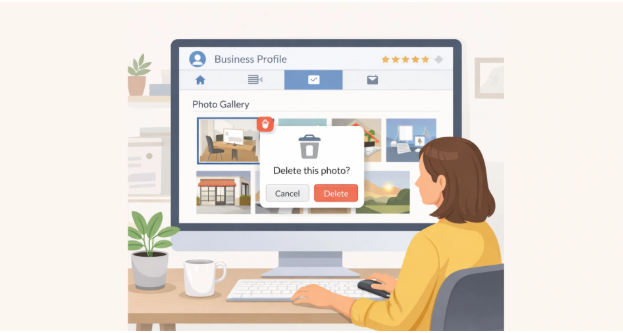

Your Google Business Profile is often the first place potential customers interact with your business online. While business details and reviews are important, high-quality images play an equally significant role in creating a positive first impression. Clear, well-sized visuals help customers understand your brand, products and services before they visit or make contact. Using the correct google my business posts image size ensures promotional posts appear sharp and engaging, while selecting the appropriate size of google profile picture helps maintain a professional appearance across Google Search and Maps. By following image best practices, businesses can improve customer confidence, strengthen their brand identity and present a more polished online presence that supports long-term growth.
Why Image Quality Matters More Than Ever on Google Business Profile
Images influence how customers perceive a business within seconds. A profile featuring clear, professional photographs immediately creates a stronger impression than one with blurry or outdated visuals.
High-quality images help customers:
- Recognise your brand more easily.
- Understand your products or services.
- Build confidence before making contact.
- View your business as active and trustworthy.
Google also encourages businesses to upload fresh images regularly, helping profiles remain engaging and relevant. Whether displaying your premises, products or team, every image contributes to your overall online reputation.
Choosing the Right Google My Business Posts Image Size
Business posts are designed to promote updates, offers, events and announcements. However, even valuable content can lose its impact if the images are incorrectly sized or poorly cropped.
Using the correct google my business posts image size helps ensure promotional graphics appear clear across desktop and mobile devices. Properly sized images also prevent important text or visuals from being cut off during display.
For better results:
- Use high-resolution images.
- Keep important content centred.
- Avoid stretching or compressing images.
- Save files in supported formats such as JPG or PNG.
Well-prepared post images improve readability, attract more attention and present your business professionally.
Selecting the Correct Size of Google Profile Picture
Your profile picture represents your business across Google Search and Google Maps. In many cases, this will be your company logo or a recognisable brand image.
Choosing the correct size of google profile picture ensures your logo remains sharp and easy to identify, even when displayed in smaller formats. Since Google often crops profile images into square shapes, keeping the main design centred helps avoid losing important elements.
A clear profile picture should:
- Maintain high image quality.
- Use consistent business branding.
- Display correctly on both desktop and mobile.
- Remain easy to recognise at smaller sizes.
A professional profile picture strengthens brand recognition and supports a consistent customer experience.
Recommended Image Sizes for Every Google Business Profile Asset
Using the appropriate dimensions for different image types helps maintain a professional appearance throughout your Google Business Profile.
| Image Type | Recommended Size | Aspect Ratio | Best Practice |
| Profile Picture | 720 × 720 px | 1:1 | Use a clear company logo or business image. |
| Cover Photo | 1024 × 576 px | 16:9 | Showcase your business, products or premises. |
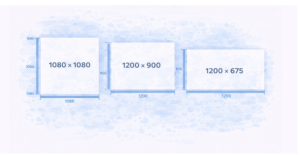
| Post Image | 1200 × 900 px | 4:3 | Keep important content centred for better visibility. |
| Product Image | 1200 × 900 px | 4:3 | Use high-quality product photos with clean backgrounds. |
| Team Photos | 720 × 720 px | 1:1 | Present staff professionally with consistent branding. |
| Interior & Exterior Photos | 1024 × 768 px | 4:3 | Upload bright, well-composed images that reflect your business accurately. |
Using the recommended google my business posts image size and maintaining consistent image quality across every section creates a more attractive and trustworthy business profile.
Simple Image Optimisation Tips That Improve Engagement
Uploading high-quality images is only part of maintaining an effective Google Business Profile. Small improvements in how images are prepared and updated can significantly increase customer engagement and create a stronger visual identity.
Follow these simple practices:
- Use original, high-resolution images instead of stock photos.
- Keep your branding consistent across every image.
- Ensure images are well-lit and professionally composed.
- Avoid adding excessive text or promotional graphics.
- Update photos regularly to reflect your latest products, services or premises.
- Optimise file sizes without reducing image quality.
Using the correct size of google profile picture alongside well-optimized visuals helps create a professional appearance that encourages customers to interact with your business.
Common Image Mistakes That Affect Business Credibility
Even businesses with excellent products or services can create a poor first impression if their Google Business Profile contains low-quality images. Common image mistakes reduce professionalism and may discourage potential customers from engaging with your business.
Some of the most frequent issues include blurry photographs, poorly cropped logos, inconsistent branding and outdated images that no longer represent the business accurately. Uploading visuals with incorrect dimensions can also affect how they appear across Google Search and Maps.
Similarly, using the wrong google my business posts image size may result in important content being cropped or distorted, reducing the effectiveness of promotional posts. Keeping every image clear, relevant and properly sized helps maintain a polished and trustworthy online presence.
Building a Stronger Business Profile with Consistent Visual Updates
A successful Google Business Profile is never static. Regularly updating images keeps your profile active and shows customers that your business is well maintained.
To keep your profile looking professional:
- Refresh cover and profile images whenever branding changes.
- Upload new product and service photos regularly.
- Replace outdated or low-quality images.
- Add seasonal or promotional visuals when appropriate.
- Monitor customer-uploaded photos and report inappropriate content.
- Review image quality across both desktop and mobile devices.
Consistent updates combined with the correct size of google profile picture help maintain a professional appearance while giving customers confidence in your business.
Conclusion
Professional images play an essential role in creating a strong first impression and encouraging customer engagement. Using the correct google my business posts image size ensures promotional content appears clear and attractive, while choosing the right size of google profile picture strengthens brand recognition across Google Search and Maps. Regularly updating high-quality visuals, maintaining consistent branding and following recommended image dimensions all contribute to a more credible Google Business Profile. Ampli5 Pulse helps businesses optimize their Google Business Profiles with practical strategies that improve visual presentation, build customer trust and support long-term online growth.